
A simple calorie tracker app for a clear daily target.
Typing the same food again adds work you have already done. Haps lets you enter known calorie values directly and reuse recent foods in two taps, then check your day. Use a scan for unfamiliar food when it gives you a better starting point.
See the logging workflow on Android
Enter a known value, reuse a familiar food, then check the entry in your day.
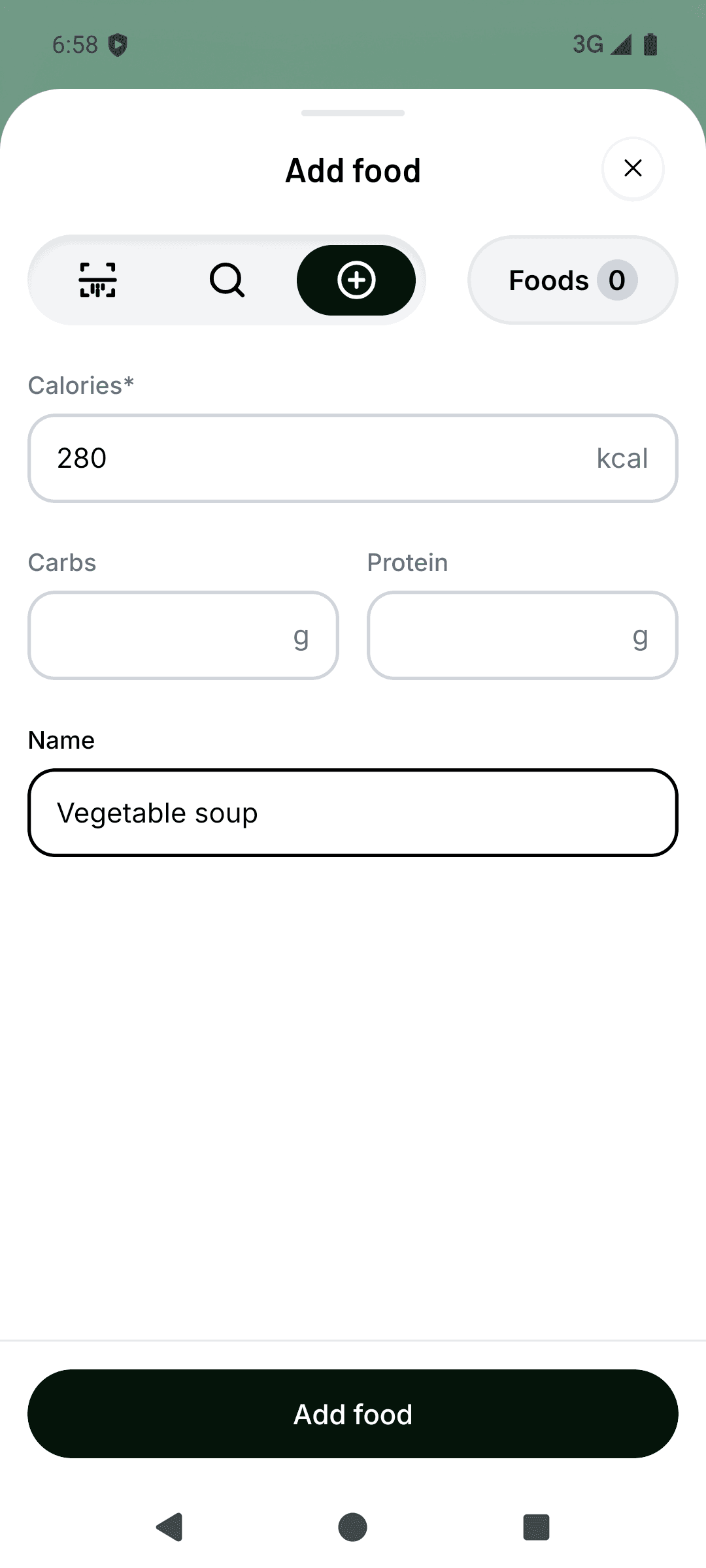
Enter a known value
Choose Quick add, enter the calories for your portion and add a name you will recognise. Check the amount before tapping Add food.
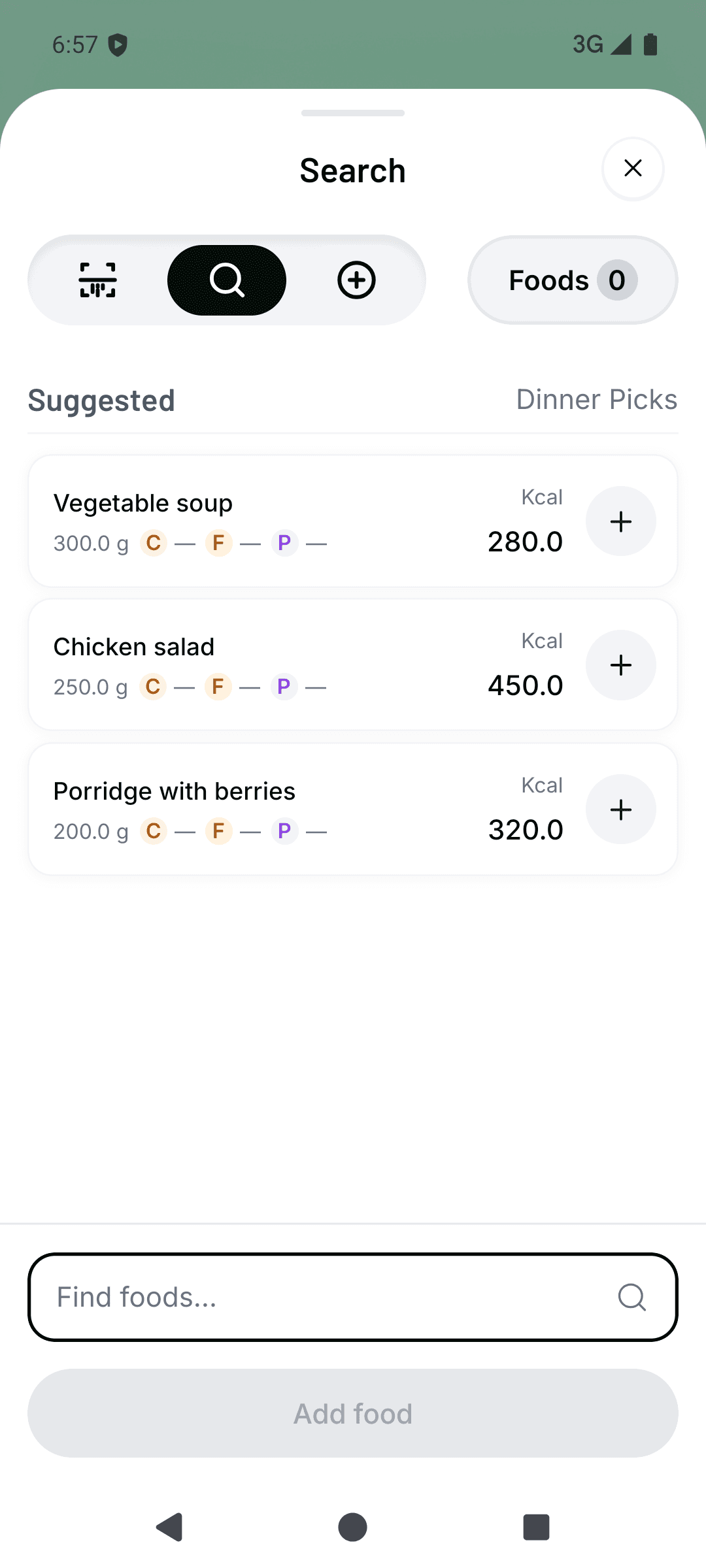
Reuse a recent food
Open Search, then tap the plus beside a suggested food to log it again. Check that today’s portion matches the saved one.
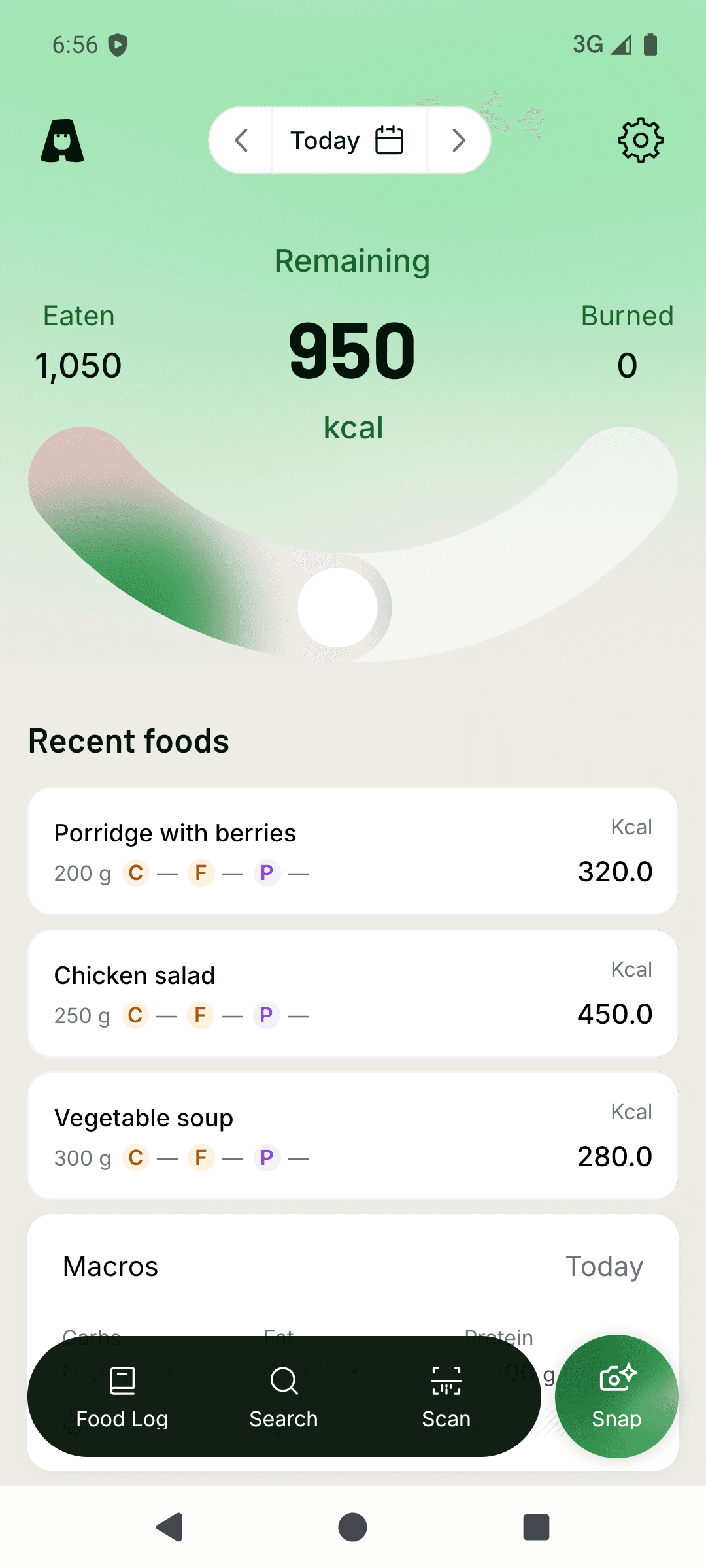
Check your day
Find the entry in your daily view and check its value and date. Core entries save on the phone first; synchronisation can wait for a connection.


Real Android test-build captures from 21 October 2026, with fictional records. These are separate examples, not a suggested intake or a complete day. Screens can differ from the installed release. AI meal scanning is available in the Android app; future Haps Club pricing and paid access details have not been announced.
iOS is coming soon. There is no public iOS release date yet.
Haps at a glance
- Public status
- Available on Android; iOS coming soon
- Platforms
- Android available on Google Play; iOS coming soon
- Primary workflow
- Manual calorie entry and recent-food reuse
- Offline use
- Core entries save locally before synchronisation
- Optional analytics
- Off until consent and excludes calorie-ledger details
Enter the number you already have
A simple calorie tracker app should let you record a value without requiring another search. If you have checked the calories for your portion, enter a food name and that value directly. Manual entry does not need a photo or a database match.
Check the amount the source describes before entering its number. A value per serving is different from a value per 100 g or for a whole packet. The manual tracking guide explains those calculations; entering a number does not verify it.
Use a name you will recognise later, check the entry, then save. The food joins your daily log, where you can see calories logged, remaining or over the target you confirm. Logging stays in the Android app; this website is not a browser tracker.
Reuse a familiar food without rebuilding it
Your usual breakfast does not need a fresh search each morning. Reuse a recent food in two taps instead of typing its name and calorie value again.
Check that the saved amount matches what you ate this time. If the portion has changed, edit that entry to match. Reusing a food saves repeated entry work, but yesterday’s portion is not automatically right for today.
A familiar name also does not make an uncertain source value more accurate. Check the original value when something looks wrong. Direct entry and reuse let you keep control of the record without asking a camera to identify a food you already know.
Offline-capable, not device-only
A dropped connection should not leave you trying to remember lunch later. Core manual entries and recent-food reuse save on the phone first and synchronise with Haps when a connection returns. AI meal analysis needs internet access.
When you do need a starting value, use a meal photo or the packet’s nutrition label and review the result. These are separate capture methods; you do not have to use a camera for every entry.
Local-first operation does not mean records never leave the phone. The data and privacy page explains synchronisation, optional analytics, exports, and deletion in plain language.
Availability and product limits
Haps is available on Android through Google Play. iOS is coming soon.