
Fast calorie logging without rebuilding every entry.
A dropped connection can leave you putting off logging until the meal is harder to remember. Haps saves core manual and recent-food entries on your phone first. You can keep your daily record while synchronisation waits for a connection.
See the logging workflow on Android
Enter a known value, reuse a familiar food, then check the entry in your day.
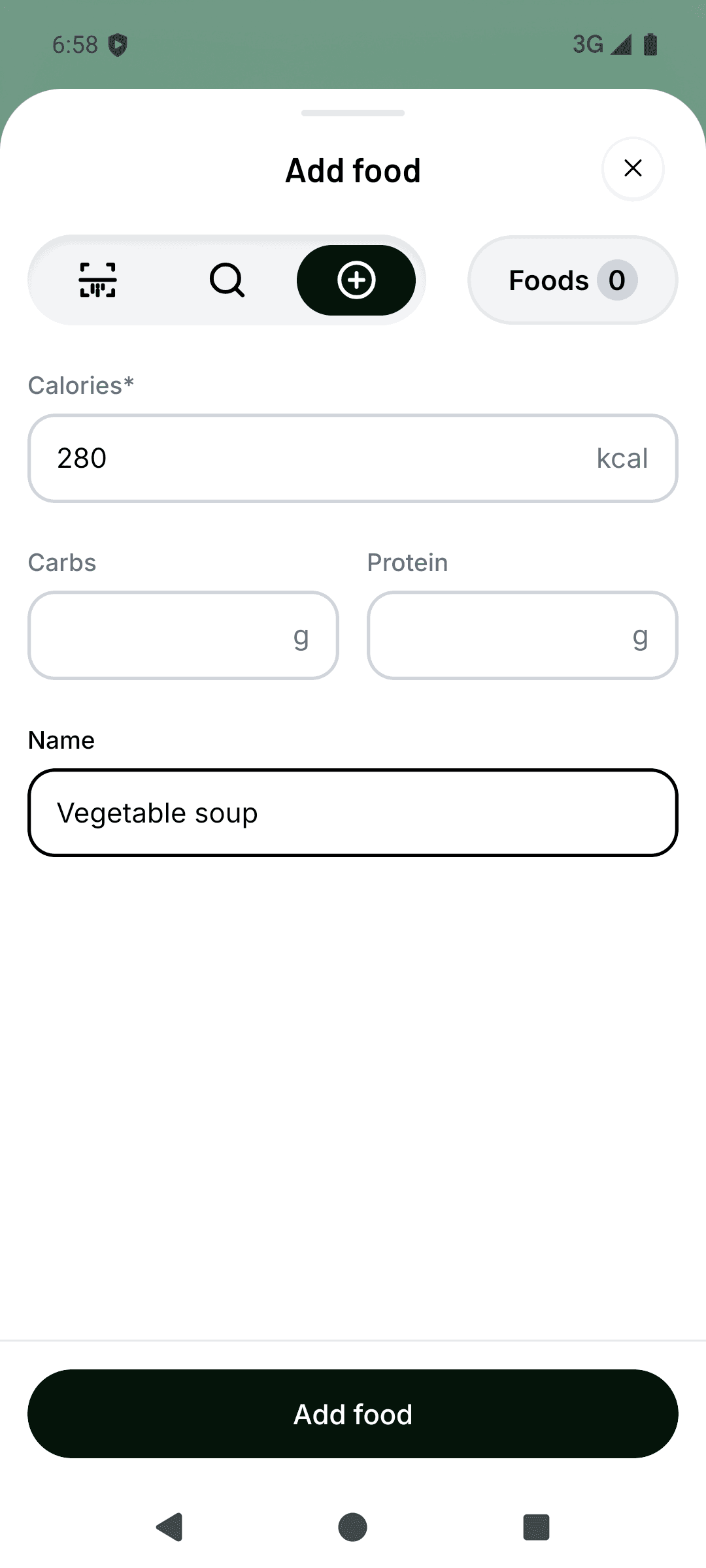
Enter a known value
Choose Quick add, enter the calories for your portion and add a name you will recognise. Check the amount before tapping Add food.
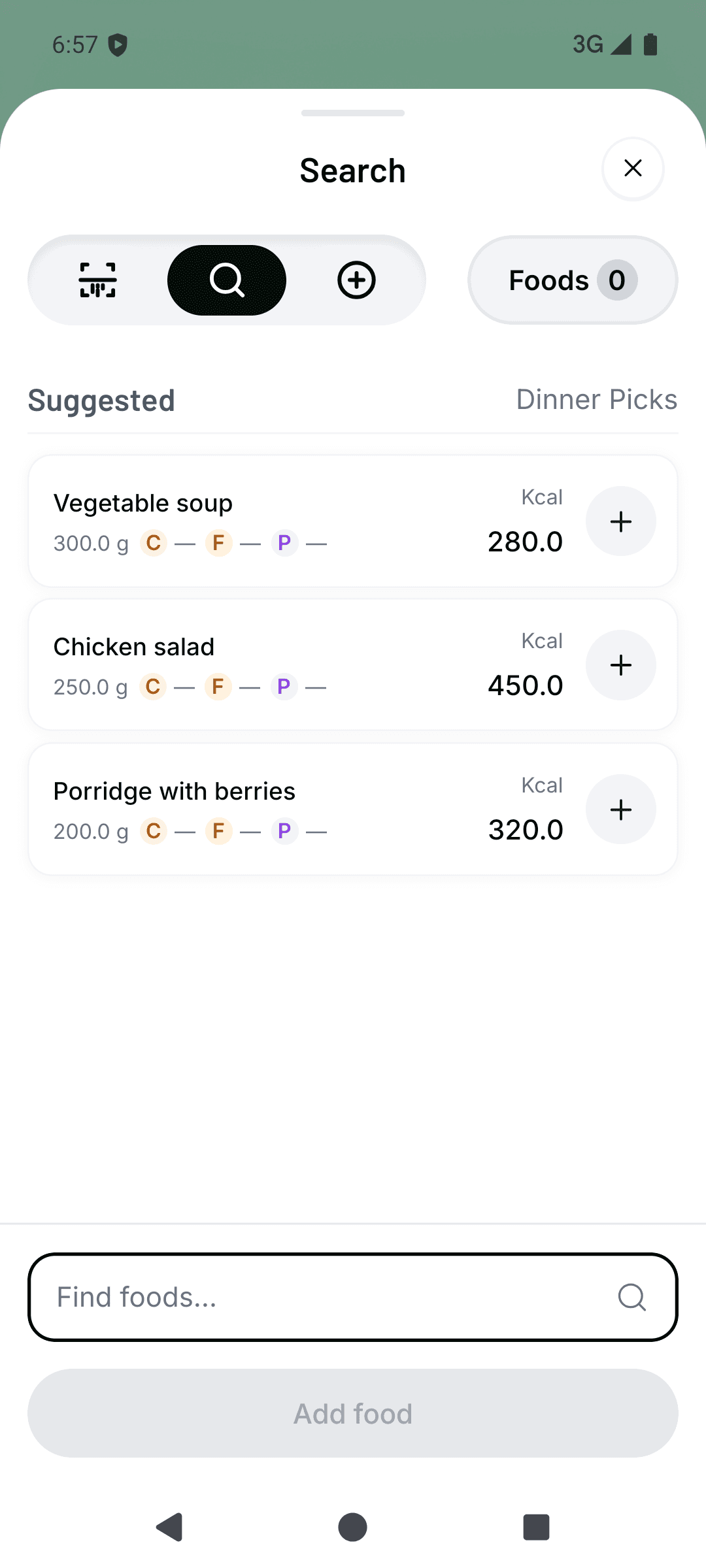
Reuse a recent food
Open Search, then tap the plus beside a suggested food to log it again. Check that today’s portion matches the saved one.
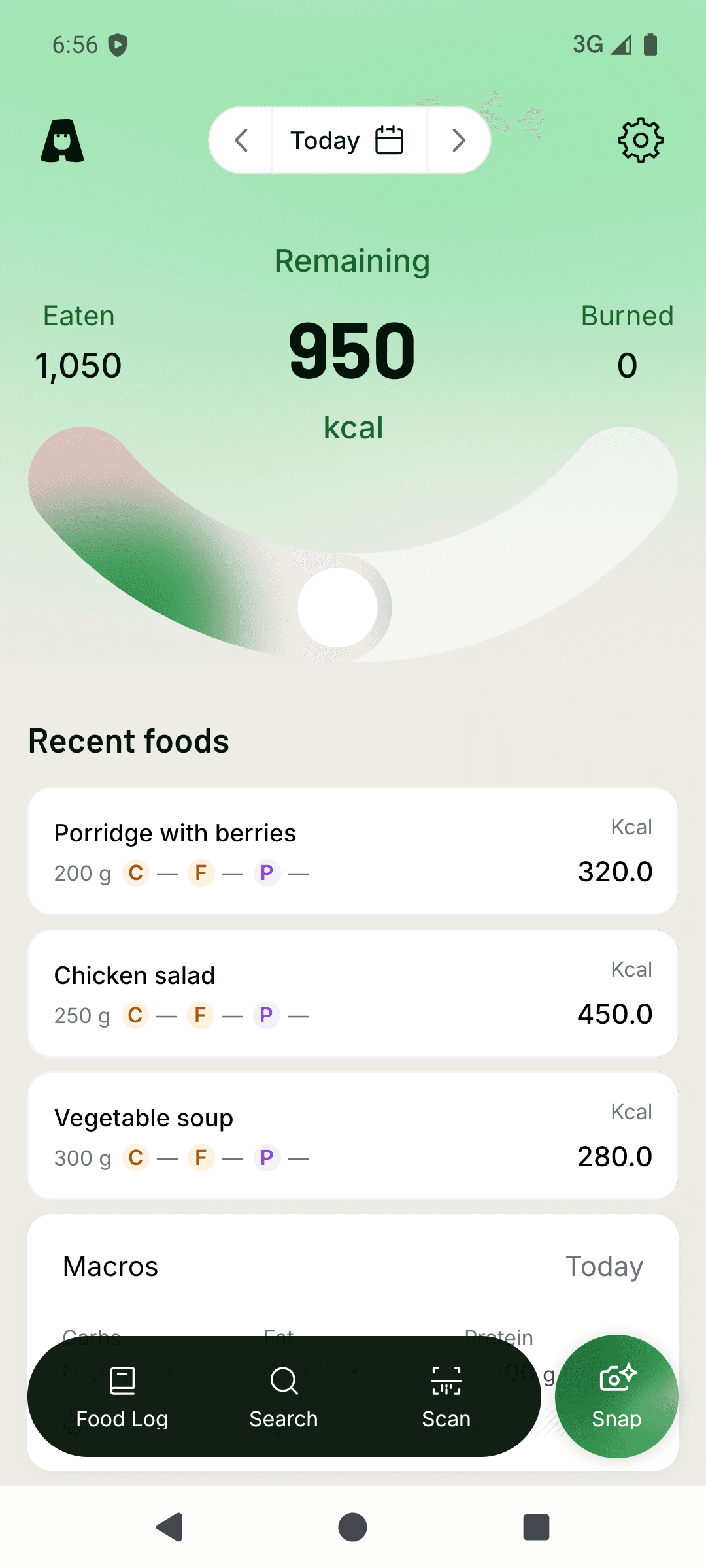
Check your day
Find the entry in your daily view and check its value and date. Core entries save on the phone first; synchronisation can wait for a connection.


Real Android test-build captures from 21 October 2026, with fictional records. These are separate examples, not a suggested intake or a complete day. Screens can differ from the installed release. AI meal scanning is available in the Android app; future Haps Club pricing and paid access details have not been announced.
iOS is coming soon. There is no public iOS release date yet.
Haps at a glance
- Public status
- Available on Android; iOS coming soon
- Repeat logging
- A recent food can be reused in two taps
- New entries
- Enter a food name and calorie value directly
- Daily view
- Chronological entries, total, and user-supplied target
- Network failure
- Changes remain queued for later synchronisation
- Platforms
- Android available on Google Play; iOS coming soon
Log at mealtime, even with poor signal
You can enter a food name and calorie value directly without waiting for a search request. If the food is already in your recent entries, reuse it in two taps and check that the portion still matches what you ate.
This is useful when a connection drops during the day: save what you can record now, rather than relying on remembering the meal later. Offline logging does not identify an unfamiliar food or establish a calorie value for you.
The app records what you enter. It does not verify that the value is complete, accurate, or appropriate for you.
Recent foods make repeat logging faster
Add a recent food again in two taps to save typing its name and calorie value each time.
The entry appears in your day while the rest of the log stays visible.
The daily calorie tracker remains useful offline
A new entry saves on your phone before synchronisation. Previously saved records stay visible if the connection fails, and the new entry waits to synchronise.
When the connection returns, Haps retries synchronisation for that entry. It keeps the local date you logged it on, so reconnecting later does not move the meal into a different day.
A pending entry is already saved on the phone; it is waiting to reach the service. Do not add it a second time just because synchronisation has not completed. If a change is rejected or needs attention, check that entry rather than assuming the whole log has disappeared.
Know the limits before relying on offline logging
AI meal analysis needs an internet connection. Barcode lookup and online scan processing also depend on connectivity. Core manual entry and recent-food reuse are the offline alternatives; offline support is not a promise that every app feature works without signal.
Entries synchronise with Haps after reconnecting. Offline-capable does not mean device-only storage, and it does not guarantee recovery from every login, device or service failure. The data overview and privacy policy explain handling and your choices.
All current features are free on Android, with iOS coming soon.